Faster documentation
Move from encounter to structured draft without rebuilding the note from memory after clinic.
Listening now
KAMS supports clinical documentation during and after the visit — structured SOAP notes, suggested codes, and a patient summary you review before anything enters the chart.
Free trial notes · Email or Google sign-up · Desktop and mobile · Privacy Policy
KAMS is a clinical documentation platform — decision support for records, not a diagnostic system and not a full EMR. You remain responsible for every final note and clinical decision.
Move from encounter to structured draft without rebuilding the note from memory after clinic.
Capture, review, and finalize notes in a clear path designed for real clinic days.
Reduce after-hours charting so attention stays with the person in front of you.
SOAP structure, suggested codes, and summaries that support complete, reviewable documentation.
Automate the heavy lift of first-draft documentation while you retain full edit control.
Prepaid usage packs, multi-device access, and workflows built for private practice and teams.
Explore clinical documentation → · How it works → · About KAMS →
Clinicians face high patient volumes and limited staff. After-clinic charting steals time from patients, family, and rest.
KAMS is built to make documentation easier — you stay in charge of every word that enters a chart.
Three steps. You stay in full control of the clinical record.
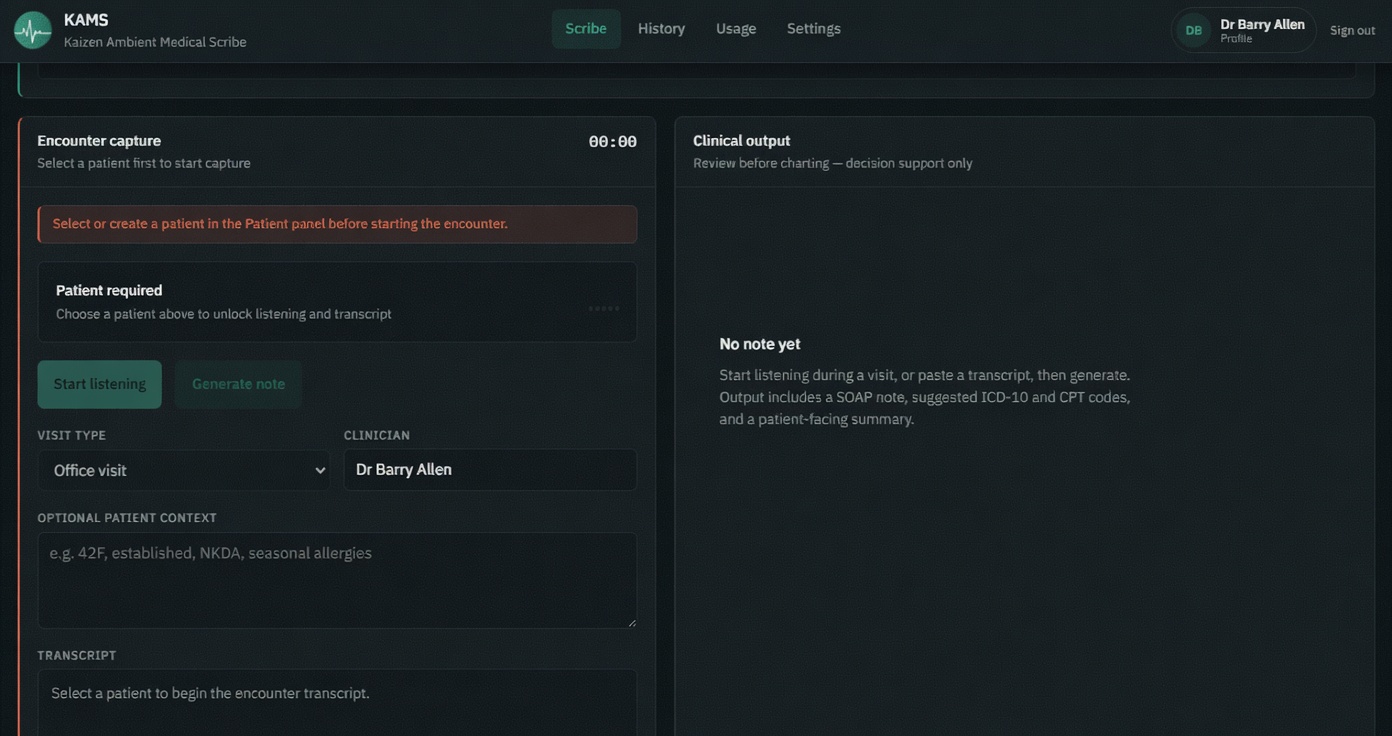
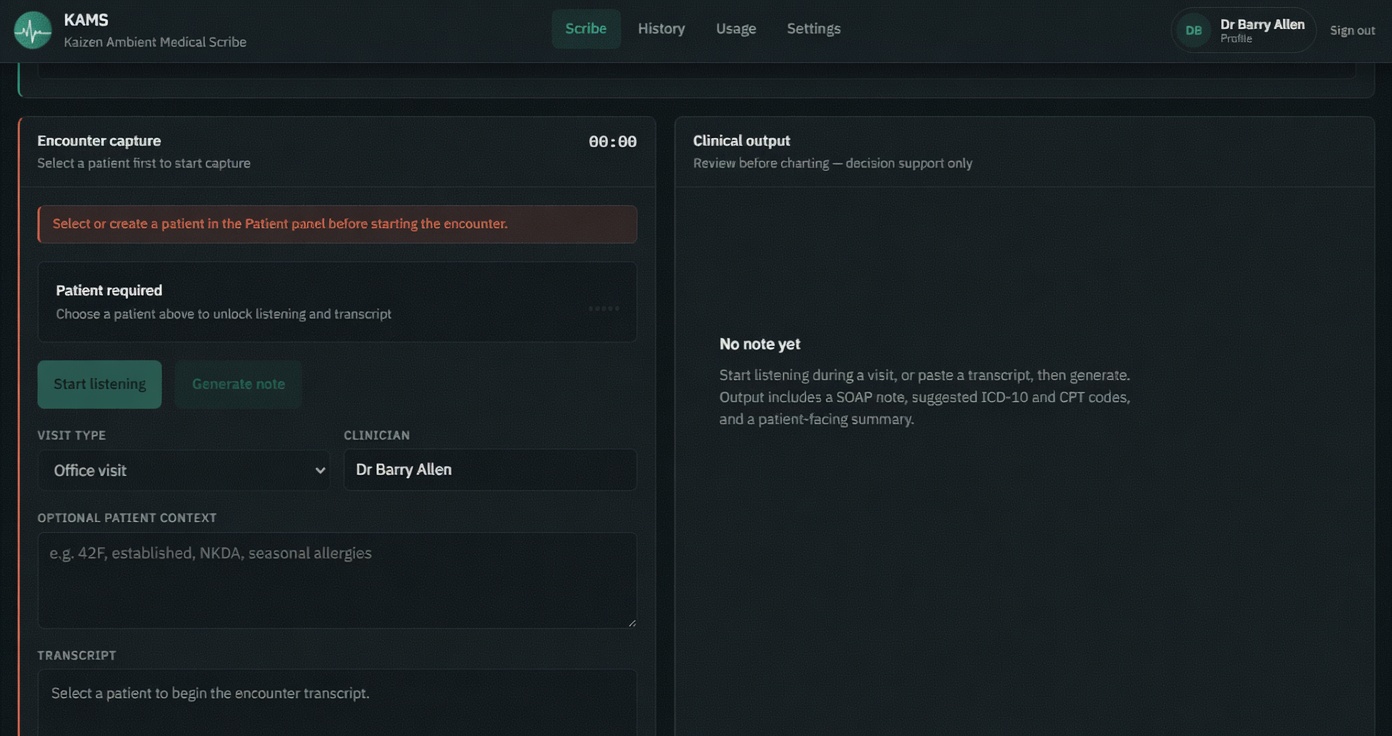
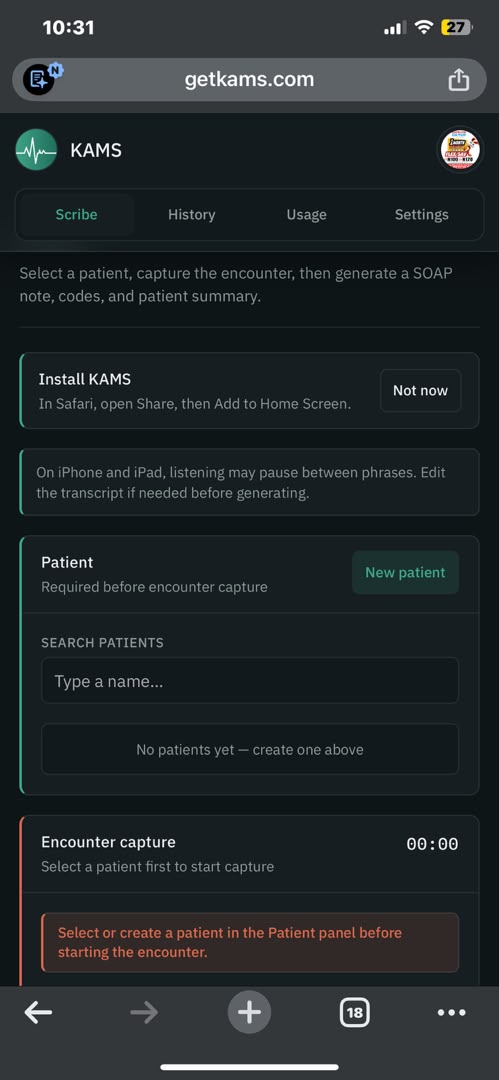
Open KAMS on phone or desktop, select the patient, and capture the encounter — or paste a short summary when the microphone is not practical.
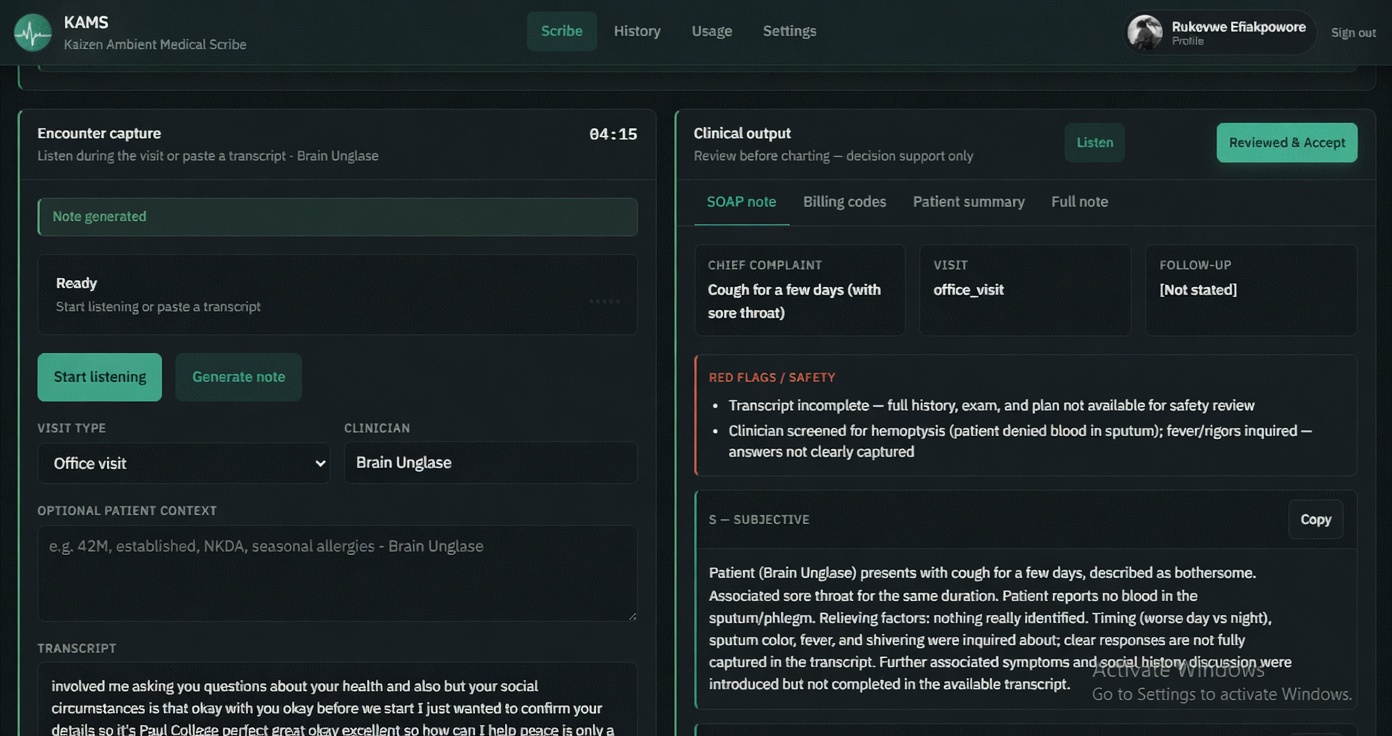
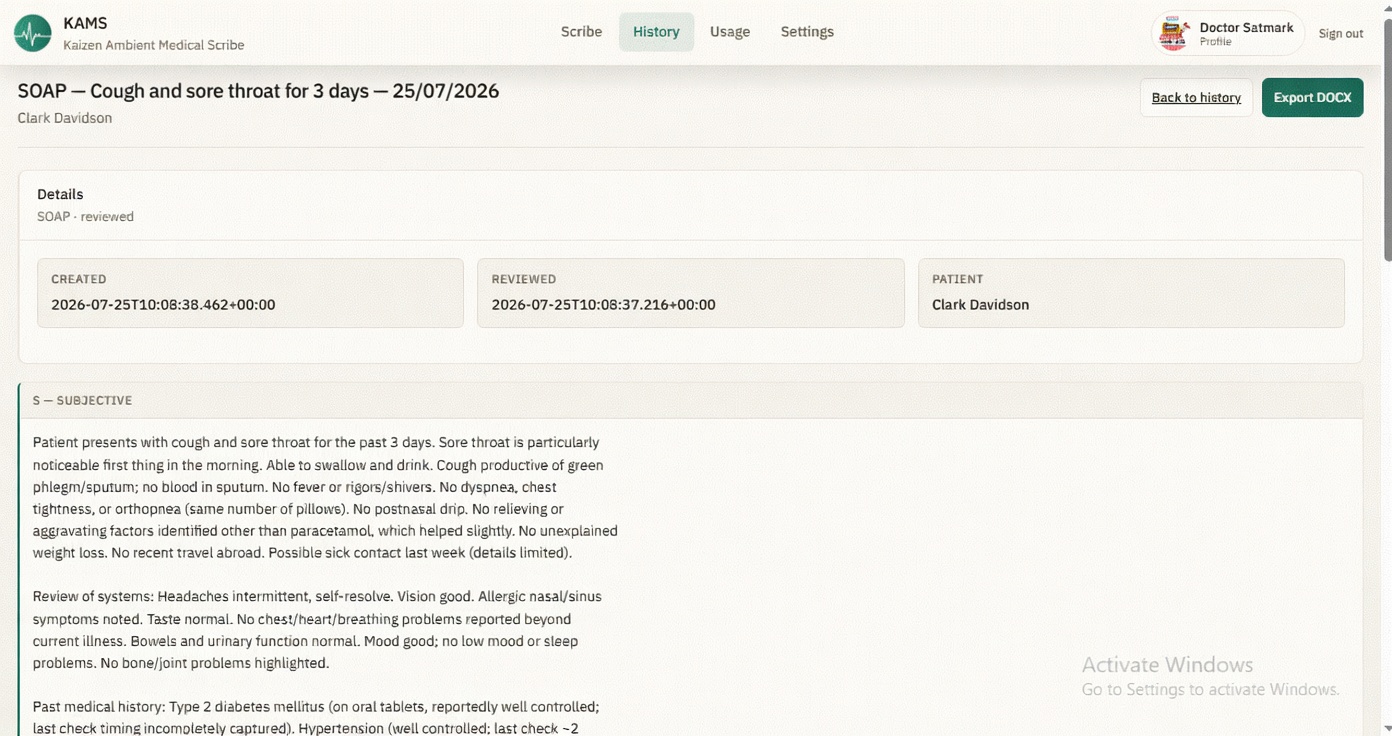
KAMS prepares a structured clinical note (SOAP format, code suggestions, and a plain-language patient summary). You review, correct, or add anything in seconds.
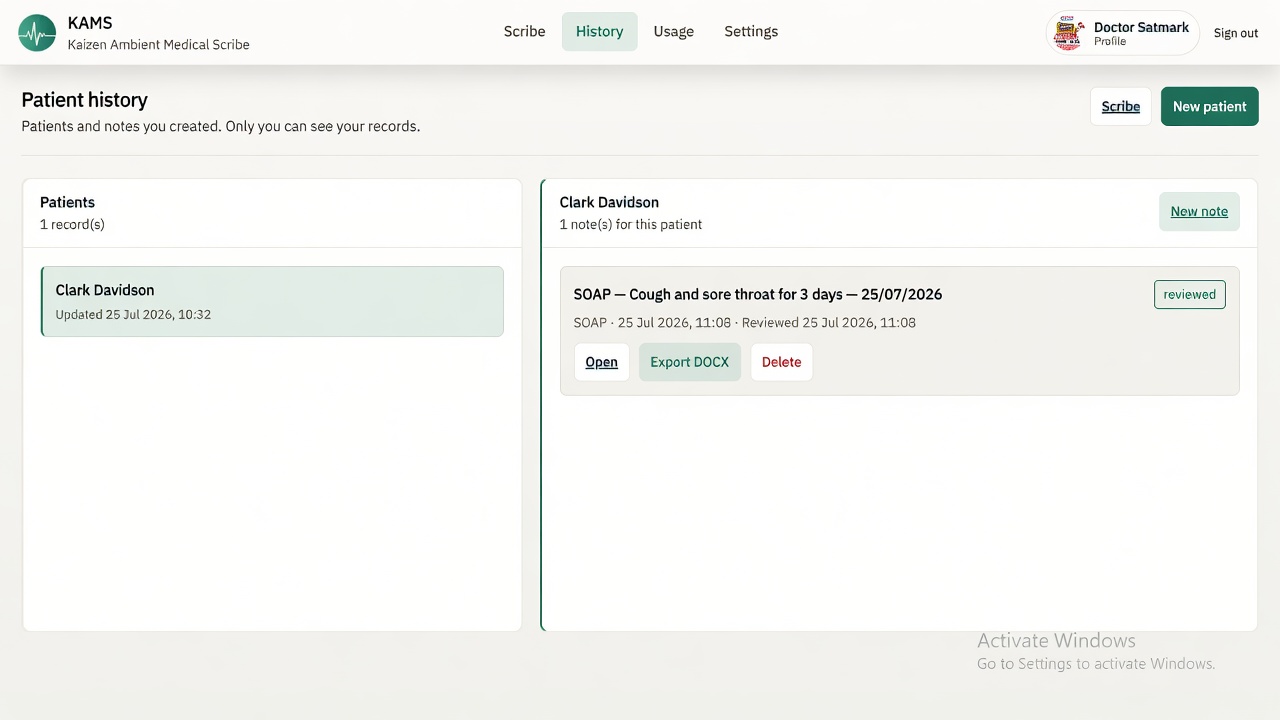
Approve the note — it is saved for your account, credits are used only when a note succeeds, and the draft is ready for your workflow.
Documentation capabilities organized around clinical work — not technology buzzwords.
Structured clinical notes for encounters — capture, draft, review, and finalize under clinician control.
Plain-language summaries that support counseling and shared understanding after the visit.
SOAP-oriented structure and reusable patterns that keep notes consistent across visits.
Patient select, capture, review, and save — a clear path from encounter to record-ready draft.
Reduce repetitive first-draft work so documentation automation supports—not replaces—clinical judgment.
Whether you practice alone or with a team, KAMS supports documentation workflows that fit how you work.
Solo and small-group practices that need faster notes without adding staff.
Multi-doctor clinics that want consistent documentation standards across rooms.
Department teams that need structured drafts clinicians can review before charting.
Virtual care documentation that keeps pace with remote consultations.
Shared clinic pools and team workflows for practices that scale together.
Documentation workflows that respect how different specialties work.
High-volume outpatient visits, continuity notes, and clear follow-up documentation.
Complex histories, problem lists, and structured assessment and plan documentation.
Age-appropriate encounters, growth and development context, and caregiver-facing summaries.
Fast capture of chief complaint, findings, and disposition under time pressure.
Cardiovascular history, exam findings, and procedure-oriented documentation support.
Sensitive narrative documentation, mental status structure, and careful review workflows.
KAMS is decision support for documentation only. The clinician remains fully responsible for clinical judgment, the final chart, and all coding decisions.
You stay in complete control.
Capture, structured notes, and mobile-ready workflow — built for clinic days.
Create an account in under a minute. Works on desktop and mobile. By signing up you agree to our Terms and Privacy Policy.
KAMS is a clinical documentation platform built to help healthcare professionals streamline documentation and administrative workflows. It assists with creating organized clinical drafts, allowing users to review and refine content before incorporating it into their records.
KAMS is designed to support—not replace—the expertise and judgment of licensed clinicians. Read more about our company →